Optimisation Is for Everyone
A practical, team-oriented guide to game performance optimisation, covering why it matters (accessibility, player experience, ecology), how to identify your hardware target, and how to track, recognise, and fix bottlenecks without burning out.

FIG.00 · Optimisation Is for Everyone
Optimisation has a reputation for being scary. It sounds like deep, arcane engineering work reserved for a handful of specialists who speak in profiler graphs and assembly. I want to push back on that, because in my experience optimisation isn’t actually that complicated, and more importantly, it shouldn’t be the job of one lonely person at the end of production. It’s a team sport.
A bit about me so you know where I’m coming from. I’ve been a freelance technical artist and graphics programmer for six years, with a specialisation in optimisation on the Meta Quest, a platform constrained enough to teach you a lot of humility. But the role I end up playing most often is “firefighter.” I get called in at the end of a production, when things are on fire: the game won’t run, performance is a disaster, and someone needs to pull off a small miracle to ship.

I genuinely enjoy that work. But like any good firefighter, I know the real job is prevention. So instead of waiting for the fire, let’s talk about how to keep it from starting: a set of habits and small tools any team can adopt to make optimisation a normal, shared, ongoing part of development rather than a crisis.
Why optimise at all?
There are three reasons worth keeping in mind, and they build on each other.
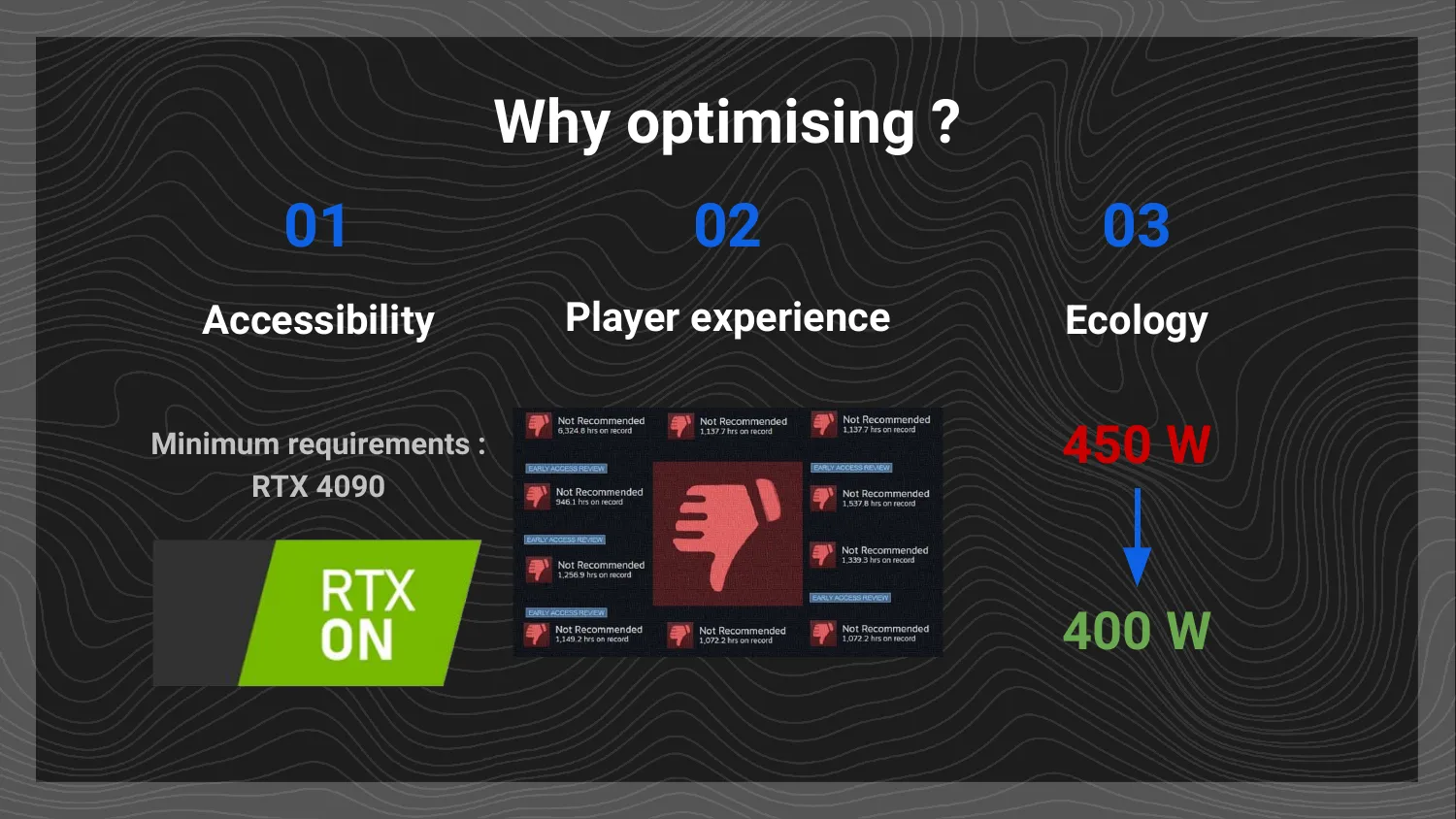
Accessibility. This is the obvious one. If your game’s requirements are too high, a chunk of your potential players simply won’t be able to run it, and many won’t even try. If you need a top-of-the-line GPU to hit a stable framerate, you’ve quietly excluded most of the market, because hardly anyone owns the newest, most expensive card. The wider the range of configurations your game runs well on, the more players you can reach. And this is about to matter even more. Steam now shows a reviewer’s hardware next to their review, along with anonymised framerate data gathered from real machines, and it’s clearly moving toward surfacing how well a game actually performs across the configurations players own. Broad hardware coverage is becoming a visibility issue, not just a courtesy.
Player experience. You might treat this as part of accessibility, but I keep them separate. Even if your game technically runs on a modest configuration, an experience full of stutters, crashes, and visual bugs earns bad reviews, and that can sink a launch. This is happening more and more, and more brutally. 1348: Ex Voto is a recent example: a stylish, promising game whose launch was hurt by serious optimisation problems, to the point where its reception suffered badly for it. And it’s far from alone. Monster Hunter Wilds, Cyberpunk 2077, Star Wars Outlaws, and plenty of others have shipped with optimisation issues that showed up clearly in reviews and player feedback. Performance has moved to the centre of how players and platforms judge a game, and that pressure is only increasing.
Ecology. This is the one we underestimate the most. Running a game consumes electricity, and electricity has a carbon cost. In France we’re fortunate to have a largely decarbonised grid, so it’s easy to ignore the problem here, but it isn’t the same everywhere, including in countries as close as the UK or Germany, where the environmental cost of electricity is much higher.
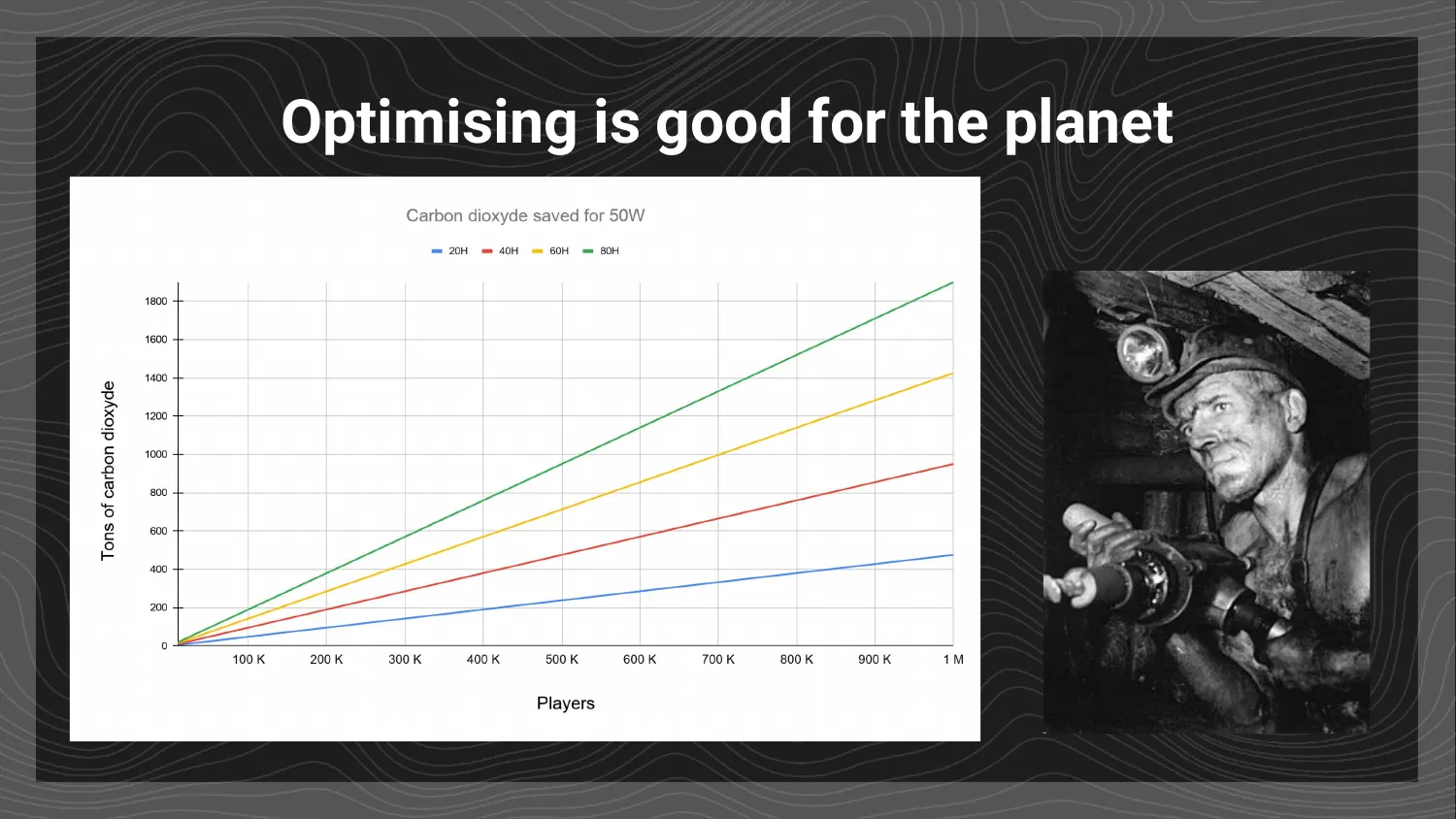
What we really underestimate is scale. Your game won’t be played by one or two people. Hopefully it reaches tens, hundreds, thousands, even hundreds of thousands of players, and at that scale small savings become enormous. Suppose you shave 50 watts off your game’s power draw. That’s not a fantasy number: on a typical gaming PC pulling several hundred watts, 50 watts is the kind of roughly 10% saving you can often achieve with a day or two of reworking a few scripts and shaders. Now multiply it. A modest indie success, say 10,000 players putting in 20 hours each, turns that 50-watt saving into roughly 10 MWh. At the world average grid intensity (close to 500 g of CO₂ per kWh), that comes out to about 5 tonnes of CO₂, roughly what an average person emits in a whole year worldwide.
And it scales up from there. Aim for a modest AA success, say 200,000 players with 40-hour average sessions, and you’re looking at around 400 MWh saved. On that same world-average basis, that’s on the order of 200 tonnes of CO₂. To put it in physical terms, generating those 400 MWh from coal would burn through roughly 156 tonnes of it, and a century ago, extracting 156 tonnes of coal would have taken a miner about six months at the bottom of a pit. (I studied in the north of France, so allow me a small tribute to the corons and the miners who worked underground.) Six months of brutal labour, offset by a day or two spent reworking some shaders and scripts. The leverage is staggering. That’s the thread running through everything below: small, well-placed effort, multiplied by scale, produces results that are genuinely worth caring about.
Step one: identify your target

Just as you identify who your game is for, you need to identify which machines it’s for. It’s the same problem and it’s handled the same way, by investigating. Look at who plays similar games and what hardware those games target.
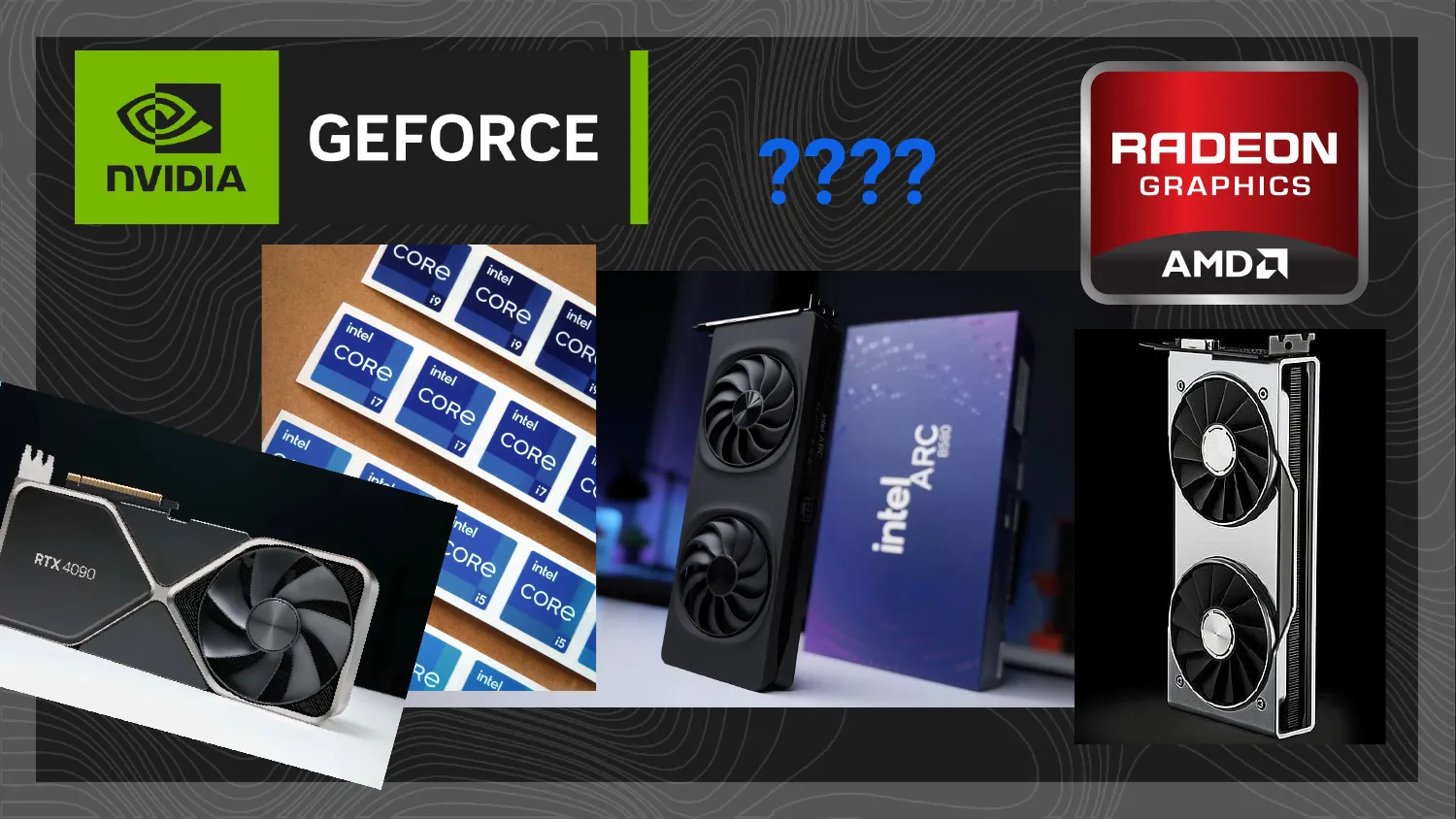
The trouble is that hardware is a mess to read. There are dozens of generations, competing brands (NVIDIA, AMD Radeon, Intel), different models, and sometimes even different versions of the same model. Layer marketing on top and, if you’re not deeply technical, it’s nearly impossible to get a clear picture of what any of it actually means for your game.
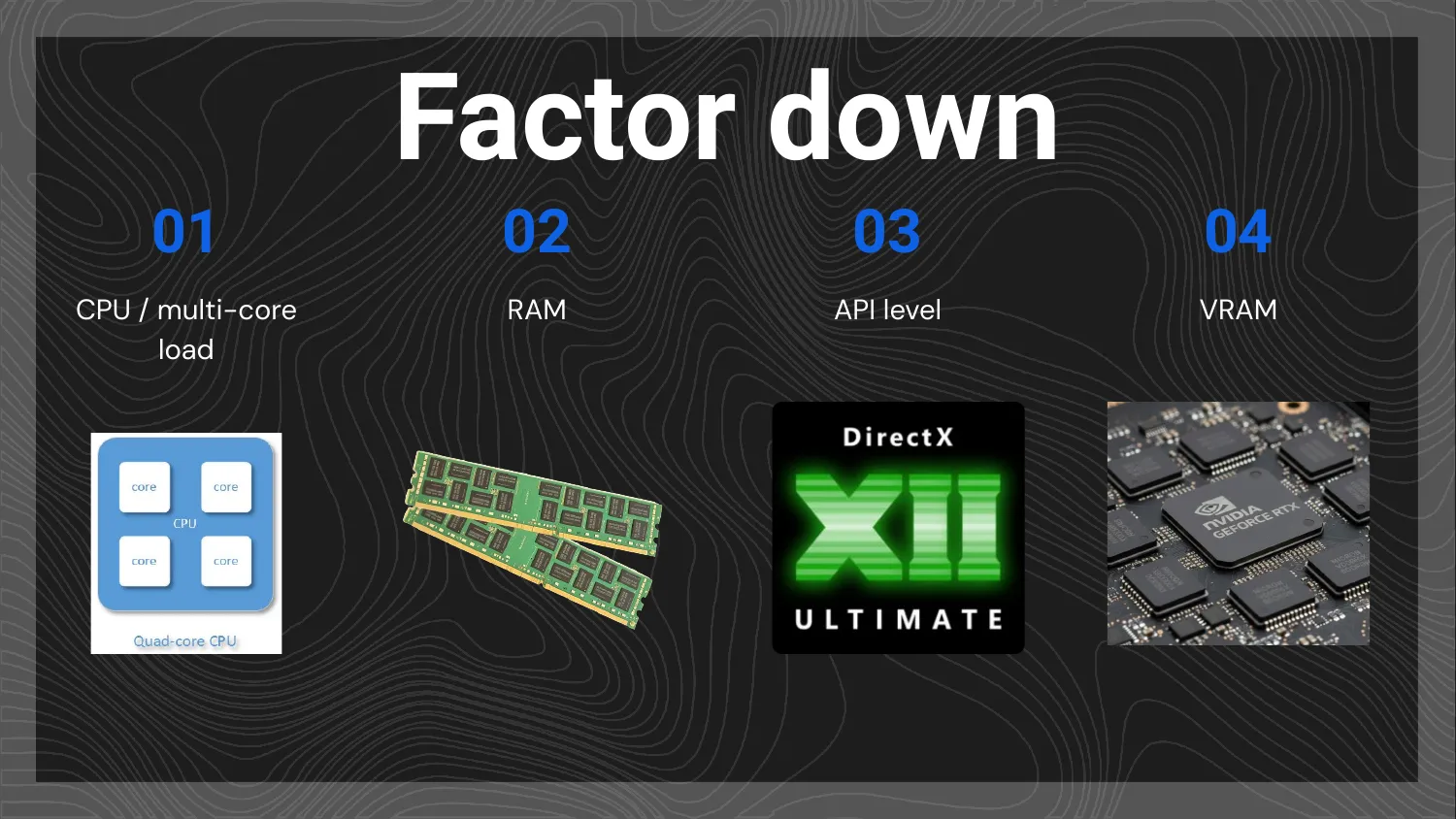
So my advice is to factor the problem down, finding the common variables that let you sort hardware into a few meaningful families. I use four.
-
CPU / multi-core load. Historically, most game engines were single-threaded, using only one core. That’s increasingly less true, with more and more tools taking advantage of multiple cores. You don’t need to dig into the internals; you just need to know whether the engine and features you’re using are single-core or multi-core. You don’t even have to read documentation for this. Launch your game, open Task Manager, and look at how many cores light up. That alone tells you whether you’ll run comfortably on laptops and small consoles, which have fewer effective cores, versus gaming PCs, which have more. This matters most for CPU-heavy genres like city builders, simulations, and swarm games.
-
RAM. Simple, and something we already track as consumers: 8 GB, 16 GB, 32 GB. What matters is how much your game needs, driven by things like map size and how rich your environments are.
-
API level. This is the twist, the one that, outside of graphics programmers, people tend to ignore. The API level is roughly the spec sheet of what a graphics card is able to handle, and it’s the main trap. A feature may simply be incompatible with a card regardless of raw power, because sometimes it’s purely a software limitation. Knowing which API level your features require (ray tracing, Nanite, bindless textures, and so on) is more important than it looks. More on why this is a trap below.
-
VRAM. Like RAM, it’s a capacity: 4 GB, 8 GB, 10 GB. And it can be just as limiting. Lots of visual effects, high-resolution textures, and many 3D models will saturate VRAM fast, and then you have to scale back.
With those four factors, you can take the last decade or so of hardware and sort it into four broad categories. This is my own framing, an interpretation I’m offering as a basis for discussion rather than gospel, and I’d be glad to debate it.
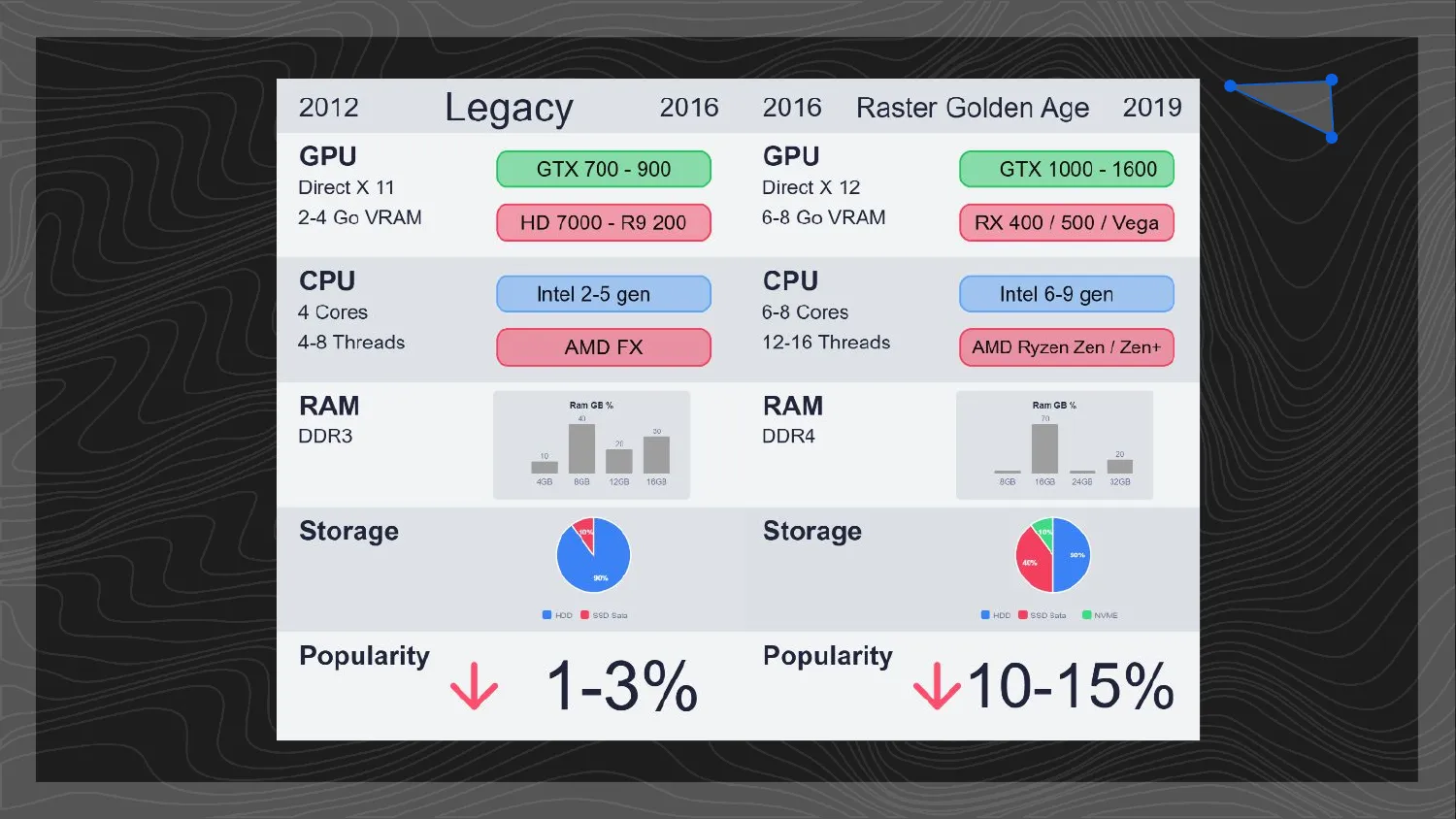
Legacy
The old guard, roughly 2012 to 2016. This is DirectX 11 territory: the GeForce GTX 700 to 900 series, or AMD’s equivalents from the Radeon HD 7000 up to the R9 200, carrying just 2 to 4 GB of VRAM. Four-core CPUs (Intel’s 2nd to 5th generation, or AMD’s FX line) paired with DDR3 memory. On Steam these configurations are a small minority today, roughly 1 to 3% and shrinking, and they’ll struggle with most modern games. Worth knowing they exist, but they come with very hard limits.
The Raster Golden Age
(My name for it; feel free to rename it.) Roughly 2016 to 2019, this is when dedicated gaming hardware went mainstream: the first PC gamer as a popular, aspirational thing rather than a niche. We move up to DirectX 12, with the GeForce GTX 1000 to 1600 series (the 1060, 1070, 1080 that so many people owned) and AMD’s Radeon RX 400, RX 500, and Vega, now carrying 4 to 8 GB of VRAM. It’s also the first genuinely useful multi-core wave: six to eight cores from Intel’s 6th to 9th generation or AMD’s first Ryzen (Zen and Zen+), DDR4 memory, NVMe SSDs replacing classic hard drives, and 16 GB of RAM becoming the baseline. It’s losing popularity, but it’s far from negligible, somewhere around 10 to 15% of Steam users. That’s striking: this hardware is roughly ten years old now, and yet that many people still run it. Ship a game today and a pile of features simply won’t be compatible because the hardware is too old, so before you’ve even considered genre fit, you may be drawing a line through 10 to 15% of Steam players.
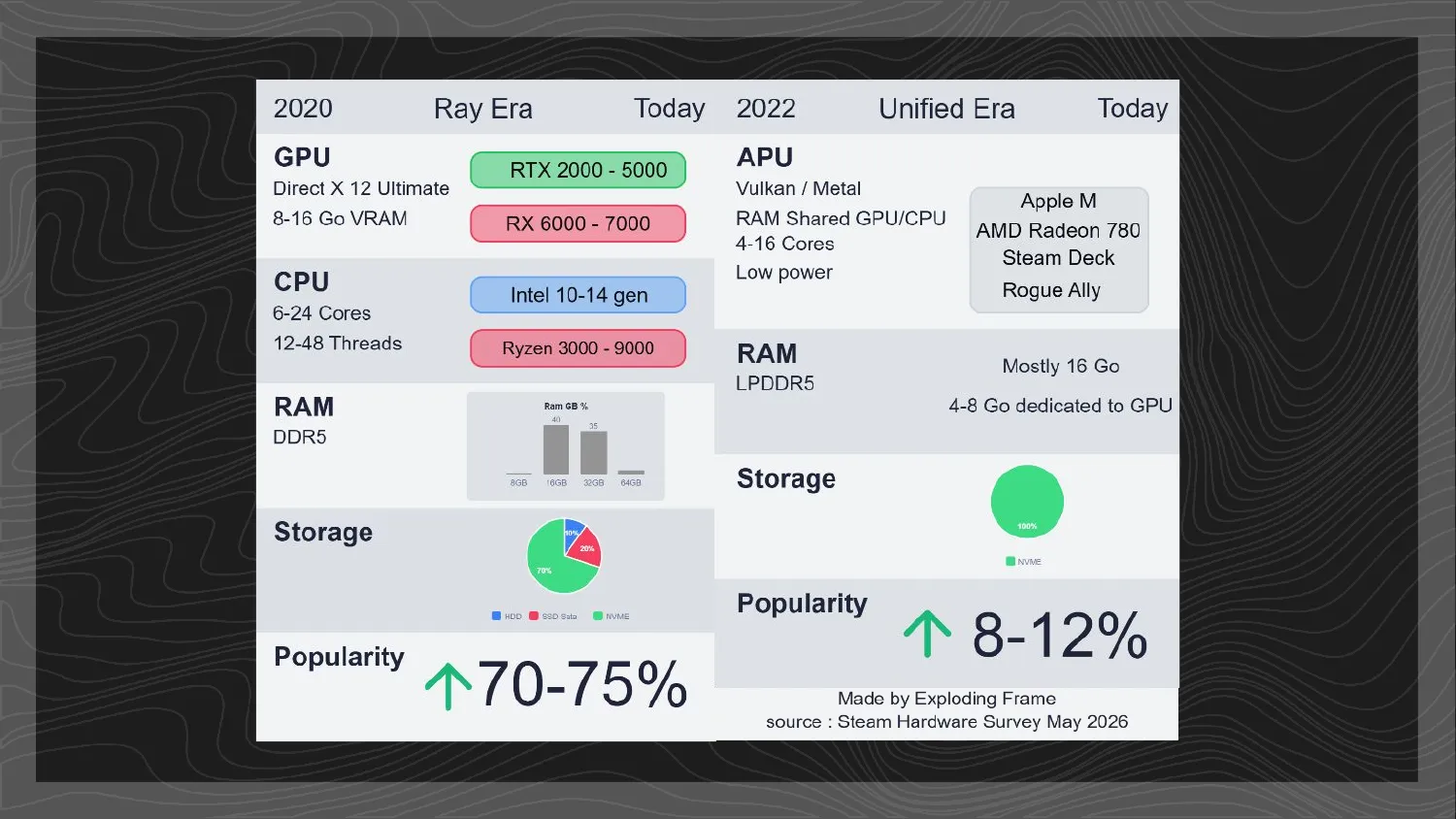
The Ray Tracing Era
The famous “RTX ON” era, pushed hard by NVIDIA’s marketing. It’s easy to mock ray tracing, because very few games genuinely use it as an artistic choice, but ray tracing wasn’t the only thing this generation brought. The architectural changes underneath it power features that a lot of games quietly rely on, often without players realising. Mesh shaders are a good example. Alan Wake 2 was built around them, so on older cards that lacked mesh-shader support it threw up a warning and ran so badly it was effectively unplayable. Remedy later shipped a patch that lowered the minimum requirements, bringing it back down to a GTX 1070, and yes, the early decision to draw a line through older hardware drew some criticism. But by committing to that technical target, they were able to make a game that’s visually exceptional precisely because it leaned into these newer technologies.
On the spec sheet this is 2020 onward: DirectX 12 Ultimate, the RTX 2000 to 5000 line or AMD’s Radeon RX 6000 to 7000, with 8 to 16 GB of VRAM, anywhere from 6 to 24 CPU cores (Intel 10th to 14th generation, Ryzen 3000 to 9000), and DDR5 memory. This is also where multi-core and a 16 GB RAM baseline became standard, and these machines are genuinely powerful, often with 32 or 64 GB of system RAM, yet ironically that power is rarely used to 100% by games. It’s where the bulk of today’s market sits, around 70 to 75% of Steam users.
The Unified Era
Quieter, but increasingly significant. This is what I call the unified era, kicked off in the public eye by Apple’s M1: one chip to rule them all. No more separate GPU, CPU, and RAM as distinct components, but instead an APU, a single chip handling all of it. These chips have existed for years, but Apple was where the mainstream first saw real power from the approach. In practice they run graphics through Vulkan or Metal and share a single pool of memory between CPU and GPU, typically LPDDR5, often 16 GB total with only 4 to 8 GB effectively available to the GPU, packing 4 to 16 cores into a low-power envelope. Beyond Apple’s M series you’ll find AMD’s Radeon 780M, the Steam Deck, and handhelds like the ROG Ally. The goal of this design is lower power draw and less heat, which is what makes smaller machines possible: the upcoming Steam Machine, slim handhelds, and so on.
They’re climbing in popularity, around 8 to 12% and rising, because frankly, fewer and fewer people can afford a brand-new high-end GPU. And NVIDIA has just unveiled the RTX Spark at Computex 2026, an ARM-based APU (a Grace CPU paired with a Blackwell GPU and unified memory) headed for a whole wave of future Windows laptops and compact desktops. Which means that if you ship a game in six months and it isn’t compatible with APU-style processors, you’ll be cutting off a large and growing share of players: that 8 to 12% could climb to 15, 20, even 25% in the coming years. Note that the recent living-room consoles, the PS5 and Xbox Series X, use broadly similar unified-style processors.
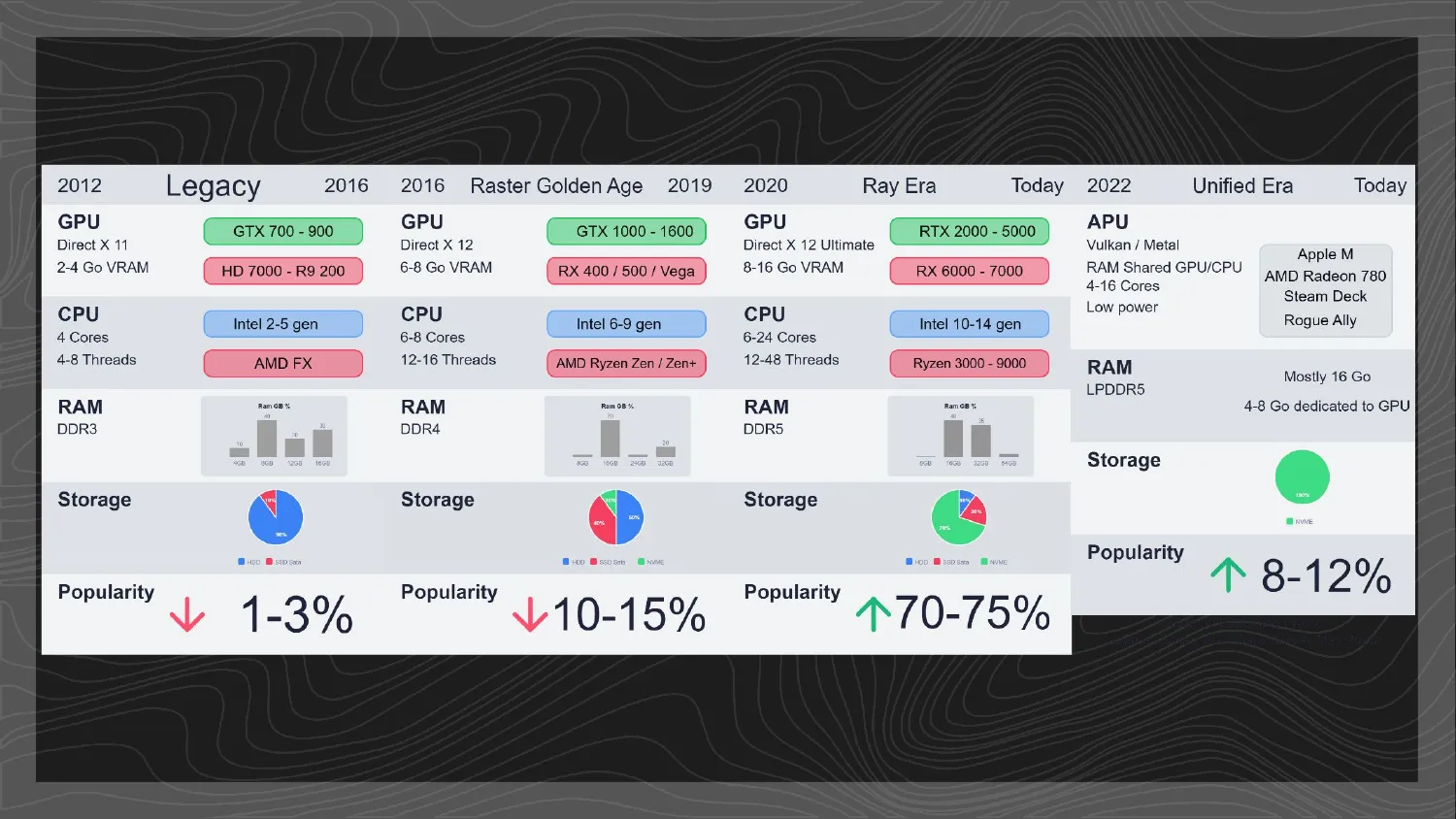
Here’s a comparison worth dwelling on. If you line up the Raster Golden Age and the Unified Era by memory, they land in a strikingly similar place: both leave roughly 4 to 8 GB actually available to the GPU, whether that’s dedicated VRAM on a Raster Golden Age card or the slice carved out of a Unified chip’s shared pool. In other words, we went from extremely powerful PCs that games under-used (the Ray Tracing Era) back toward something more measured and better-tailored to the everyday user. Despite the technological leaps, real limits persist, and it’s worth being conscious of that.
Then check your engine
Once you’ve picked a target, take that knowledge into your engine. I won’t list every feature of every engine, because we’d be here for eight hours. The message is simpler: some engine features aren’t compatible with some hardware, and sometimes it’s not even a question of power but purely of software support.
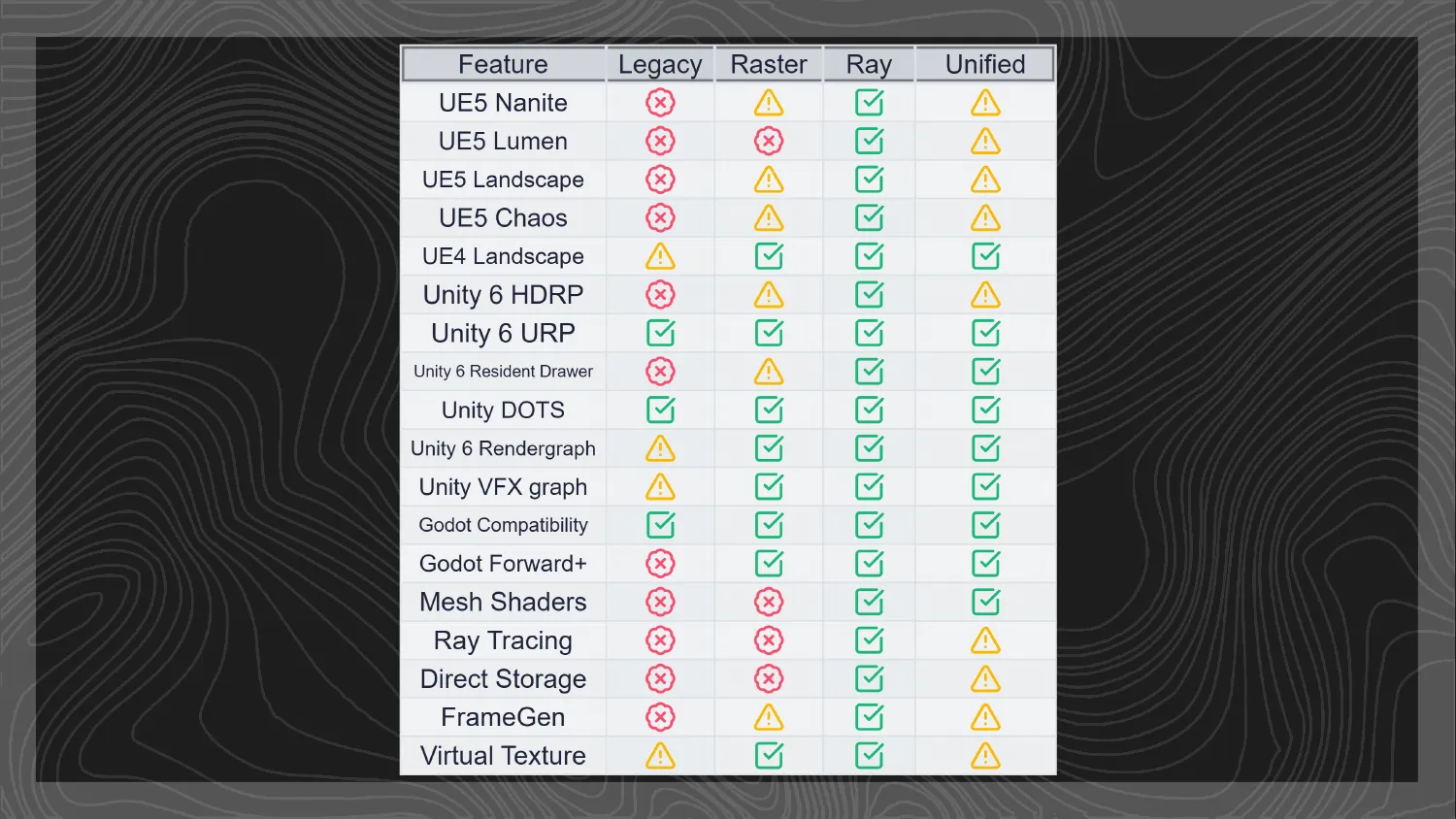
So when you see a little warning triangle next to a feature you’re using, go read the docs, because it likely means that feature won’t be compatible depending on the options you’ve ticked and a dozen other factors. This is my big grievance with Unreal Engine, which hides an enormous number of options and is a genuine nightmare to configure correctly. It’s exactly how you end up with a game that won’t run: the team never fully toured the options. Lumen is a perfect case, an incredible feature, but one that struggles to run on anything below the Ray Tracing Era category. The problem is Unreal won’t tell you that explicitly; it’ll just run the feature more or less badly, producing visual artefacts or framerate drops on your players’ machines.
And don’t assume “lightweight” means “compatible.” I know there are plenty of Godot fans out there, and Godot is a great initiative, but it’s recent, and the team has to make choices, so they reasonably lean toward modern approaches. That means Godot isn’t automatically the “greenest” choice for old machines, since several of its features aren’t backward-compatible. Sometimes something is light precisely because it’s modern. The good news is that checking this doesn’t require writing any code. It’s API numbers and “is this feature supported?”, the kind of thing anyone willing to look it up can do.
Tracking performance without losing your mind

Once you know your target, you need to keep an eye on whether the game actually hits it. Done naively, that becomes exhausting, so here are two techniques that help enormously.
Fuses
If you track performance precisely and panic every time you dip below 60 FPS, you’ll spend all your time optimising and none of it creating. Most of you are creators, not optimisers (that part is my job), so constant monitoring isn’t the answer. But waiting until the end isn’t either, because by then there’s no time left and you’re calling the firefighters. Fun for me, stressful for everyone.
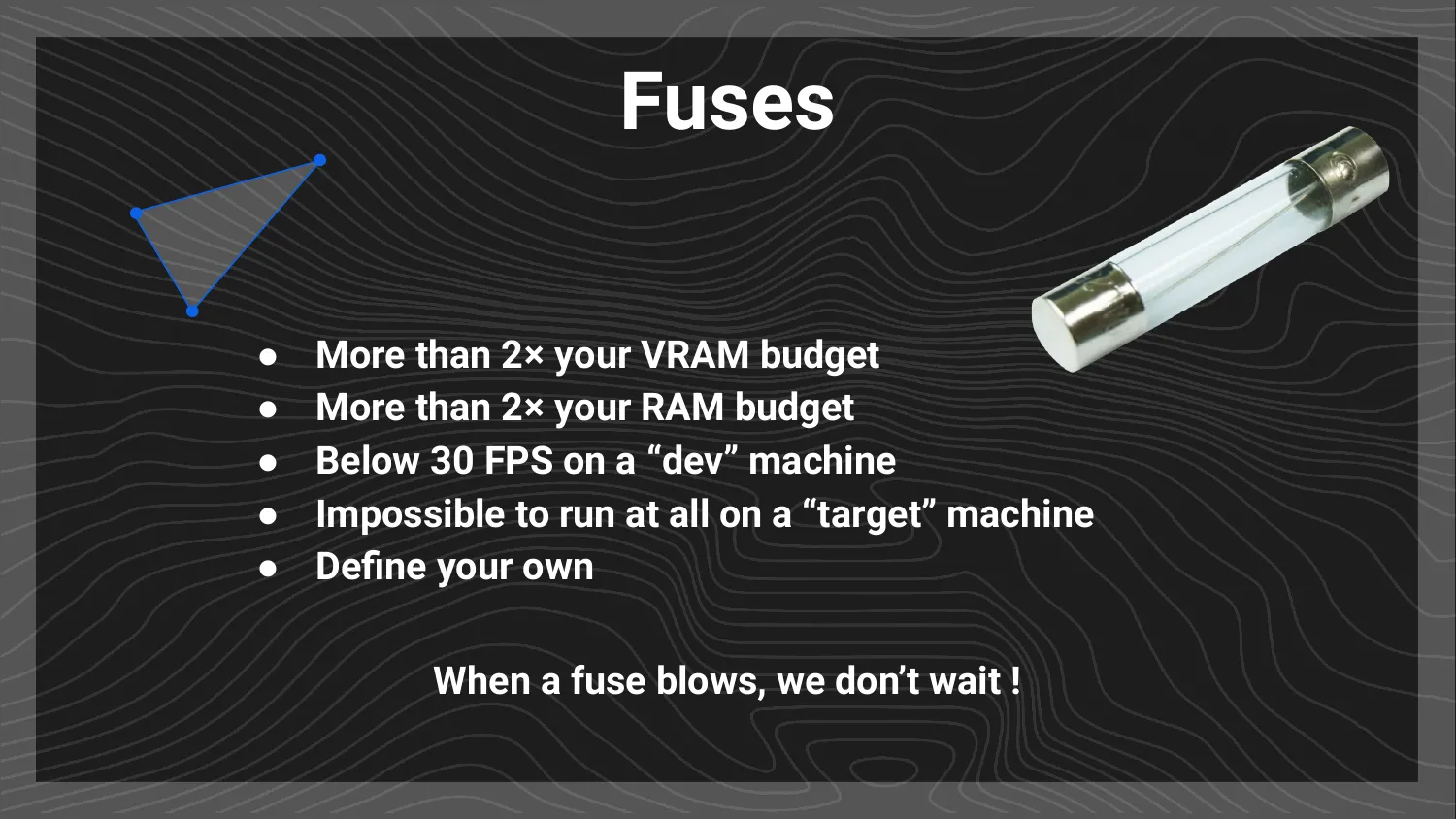
The middle path is a system of fuses: arbitrary limits tied to your target but set deliberately loose. The point isn’t for a fuse to blow every week. It’s that if one does blow, you’ve gone badly wrong somewhere and need to fix it immediately. Some examples you might set:
- More than 2× your VRAM budget
- More than 2× your RAM budget
- Below 30 FPS on a “dev” machine
- Impossible to run at all on a “target” machine
Define your own. The principle is what matters.
Why the urgency? Because one of the most common failure modes I see in productions is “we have a big perf problem, we’ll deal with it later.” Then later arrives, and it turns out it wasn’t a problem, it was several problems hiding behind the big one. Suddenly it’s a lot less funny. Fuses keep you from the trap of the tree hiding the forest: you keep the game in a minimally functional state at all times, so problems can’t pile up unseen. There’s a second benefit too, which is experience. Tackling serious issues early means the team levels up, avoids repeating the same mistakes, and walks into the heavier end-of-production optimisation phase already knowing how to fix this class of problem.
A fuse has to be checkable by anyone, through internal tools or tools everyone can install. Windows Task Manager already shows RAM, VRAM, and CPU/GPU load, which are excellent indicators to start with.
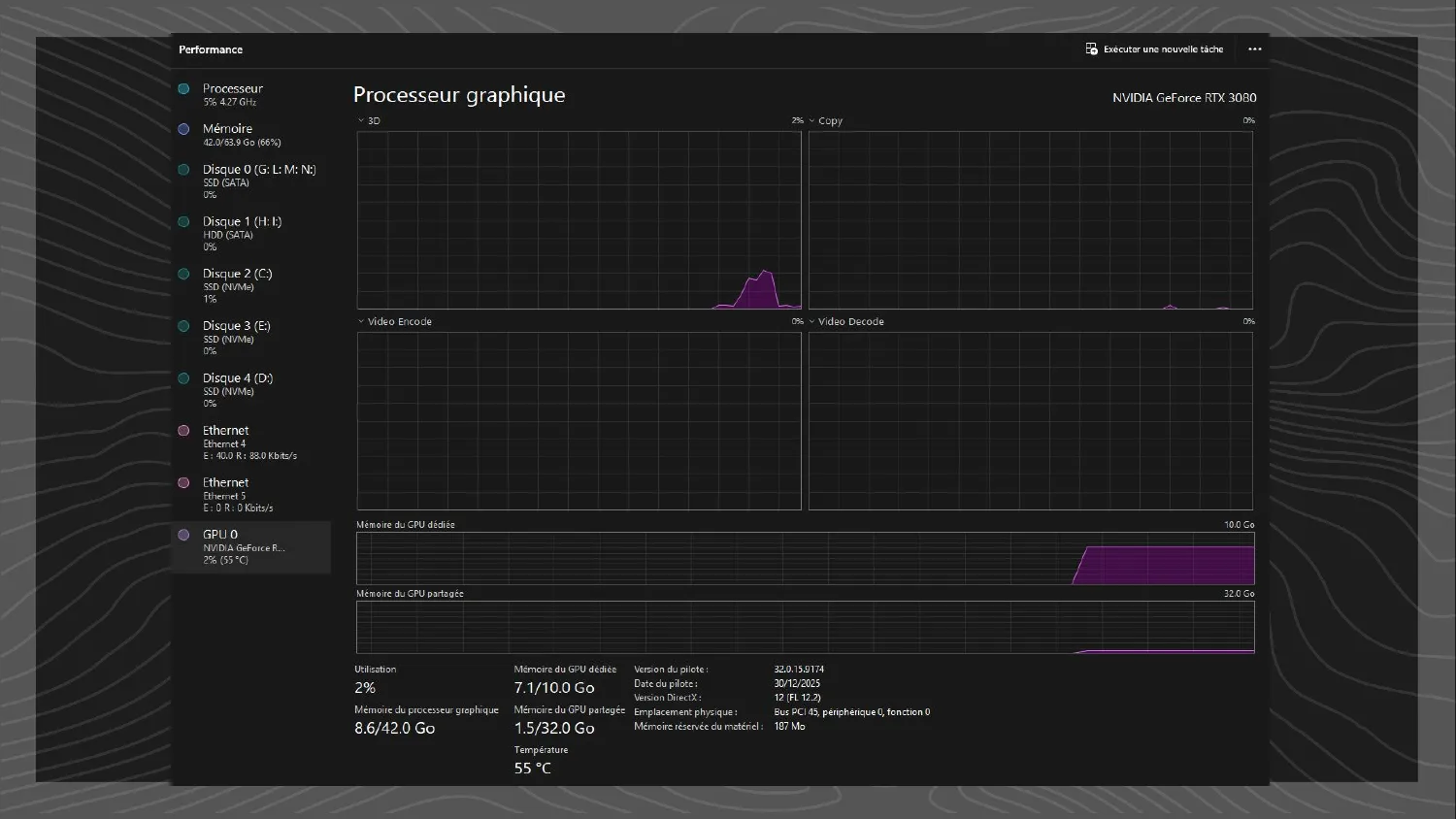
Concretely: I have 10 GB of VRAM on my RTX 3080. If I want everything to run on a Steam Deck and not exceed 4 GB of VRAM, I check Task Manager’s reading with the game closed, then launch a session and look again. If I’m sitting at 6 GB, that’s a blown fuse, and now I go look at what’s eating VRAM. Textures? Meshes? Maybe it’s time to put in LODs. The point is we learn from it and feed that learning back in.
Measure in context
The second technique for tracking framerate is to measure with context. Too often a perf problem gets filed as a ticket (“low performance”), assigned to a dev or tech artist, and if they’re lucky there are two or three scraps of context; if not, tough luck. They have to relaunch the game, try to reproduce, and hope it’s not hardware-dependent. It’s a huge waste of time.
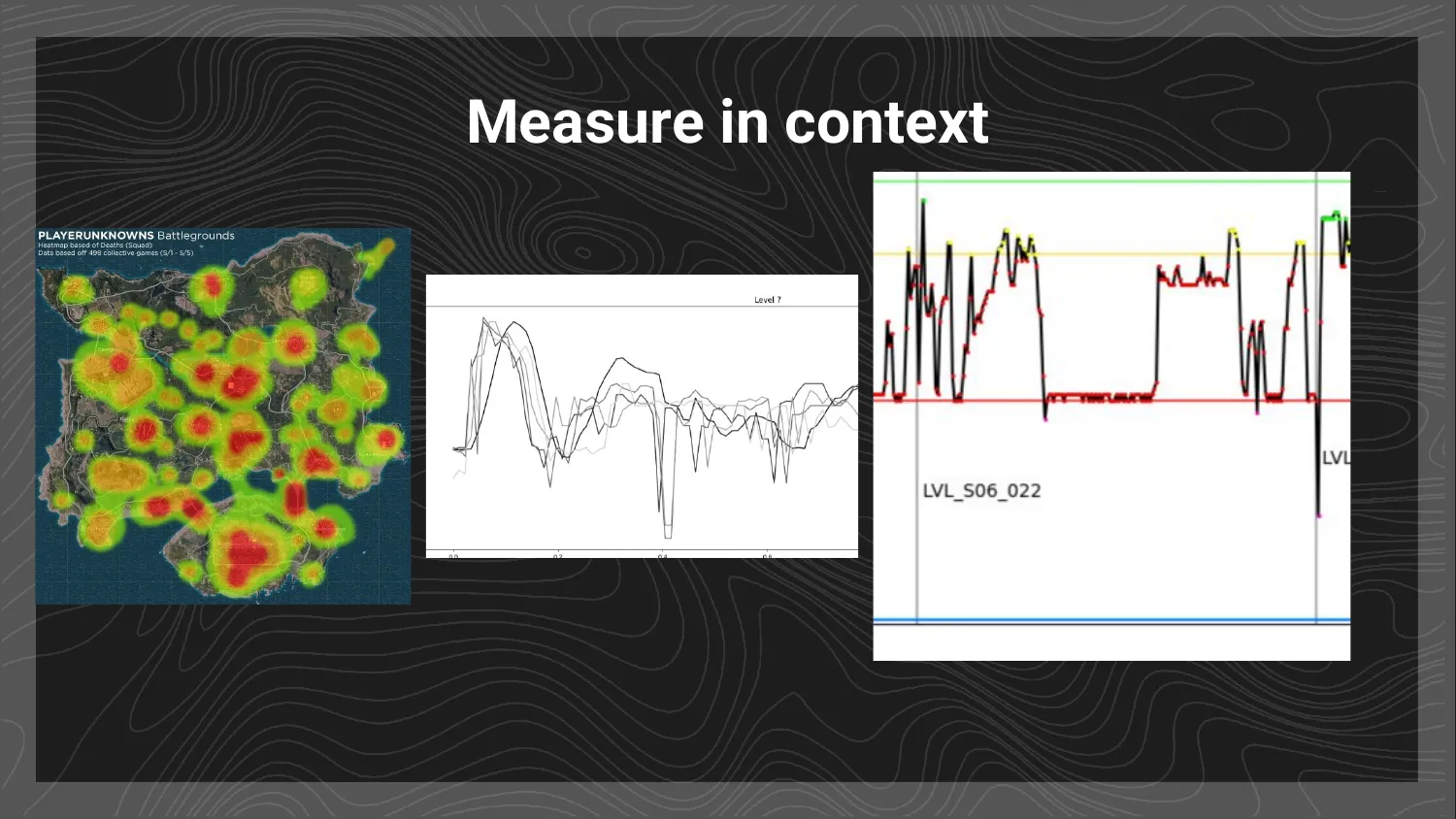
You can fix this fairly easily with home-grown tools. Yes, it takes a little development, but really not much, and the payoff is enormous: tools that let you track performance across time and space. Just labelling which level you’re in turns a flat FPS graph into something legible, so when you see a big drop, you immediately know which level it’s in. Push it further and you can compare several graphs, watch how things evolve across builds, and see variability. For a 3D or open-world game, the spatial equivalent is a performance heatmap: carve the map into cells and colour each one by how well it runs. Add CPU/GPU load to the graphs, and export a .csv on every test.
I want to really insist on how much difference a small, simple tool like this makes. It lets less-technical people such as QA and producers run two different builds, test them, and compare results with context. The ticket goes from “low performance” to “big FPS drop with rising CPU at level 6, build A vs build B.” And for a producer or lead, that’s clarity: who touched level 6? The VFX artist, so let’s go talk to them directly. No more bottleneck through the programmer. Performance becomes a team subject. Reading a performance curve over time or a heatmap over space is accessible even to non-technical people, and that’s the whole point: everyone can see it, everyone can own it. It stops being one person’s job.
Recognising problems
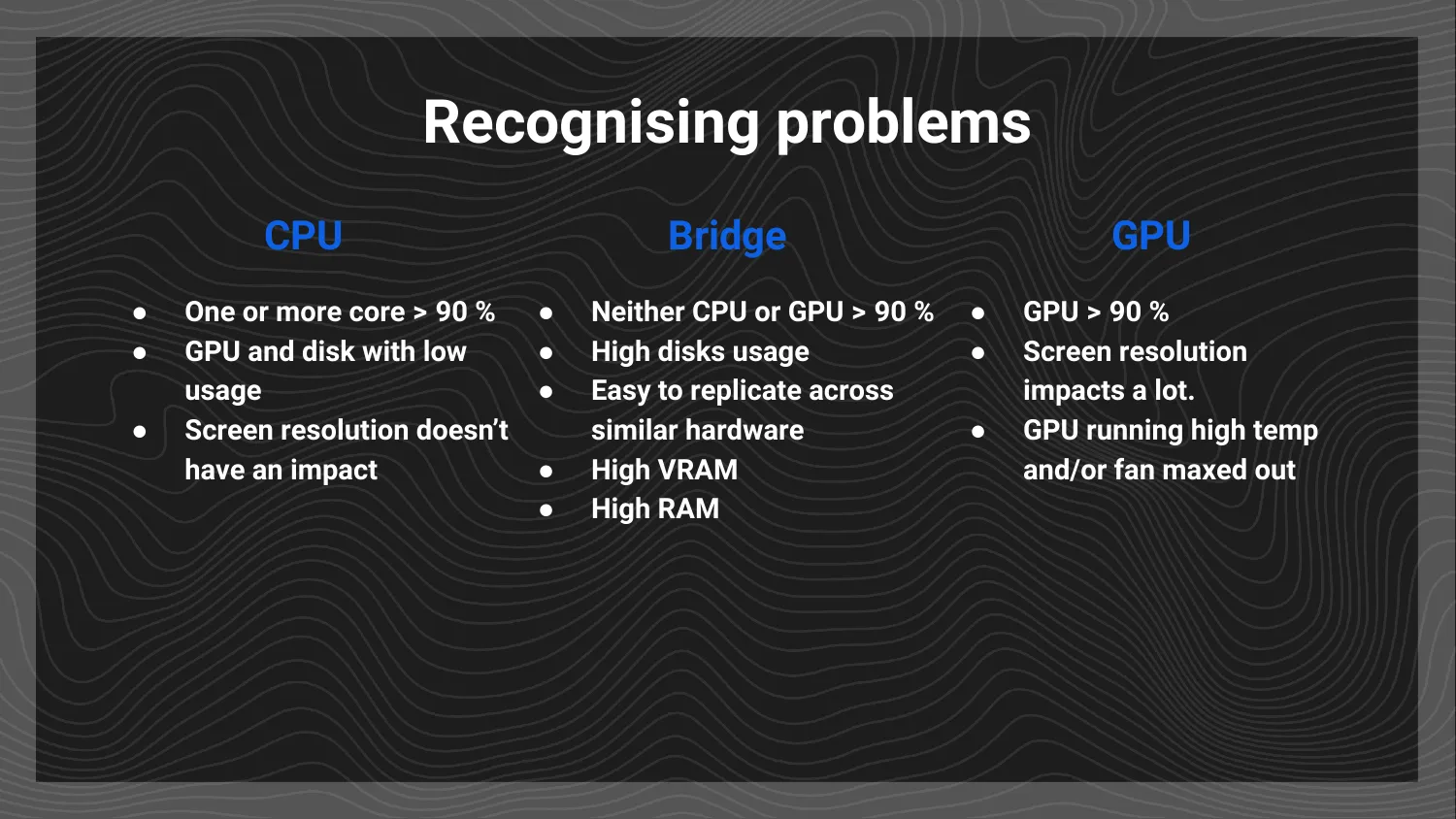
Once you can see your performance, you need to recognise the recurring problems. Again, categories simplify life. There are three places a bottleneck lives (CPU, GPU, and what I call the Bridge), and you’ll always have exactly one of them as your limiting factor, because otherwise your framerate would be infinite. That, by the way, is why optimisation is endless: you can always optimise more, which is exactly why a well-chosen target up front matters so much.
CPU. The signature is a CPU maxed out while everything else sits idle. Because many applications use only one core or a few, you won’t usually see all cores at 100%, but if one or more cores are above roughly 90% while your GPU sits at 10%, your RAM isn’t full, and your disk is quiet, there’s no debate: the CPU is the bottleneck. It makes sense, since if the CPU is buried in calculations, it can’t feed work to the GPU, so everything else waits on it.
Bridge. This is my grouping for everything between your components. You could call it the motherboard, but it’s broader, covering disks, RAM, internet connection, USB ports, the whole spine of the machine. These problems are the hardest to recognise, but the tell is that neither CPU nor GPU reaches a high load. High RAM, VRAM, or disk activity points here too. Honestly, in my own production experience, the Bridge is the number-one source of bottlenecks, because it’s the backbone, the thing everything has to pass through.
GPU. In my experience, and especially on indie and AA games, the GPU is more rarely the problem, since it sits at the end of the chain, and it’s the easiest to identify. Look for a GPU that’s heavily loaded (above roughly 90%) and producing a lot of heat. One nuance: modern GPUs run at variable clock speeds, so 80% on a card running slowly is nothing, while 100% on a card running flat-out is everything. I think of it as “the GPU is spinning its fans”: when a card sits near max speed and the fan ramps up, that’s your cue. GPU problems are also usually tied to display resolution, so changing the resolution is a great way to test and confirm one. If it moves the needle a lot, it’s the GPU.
Fixing problems
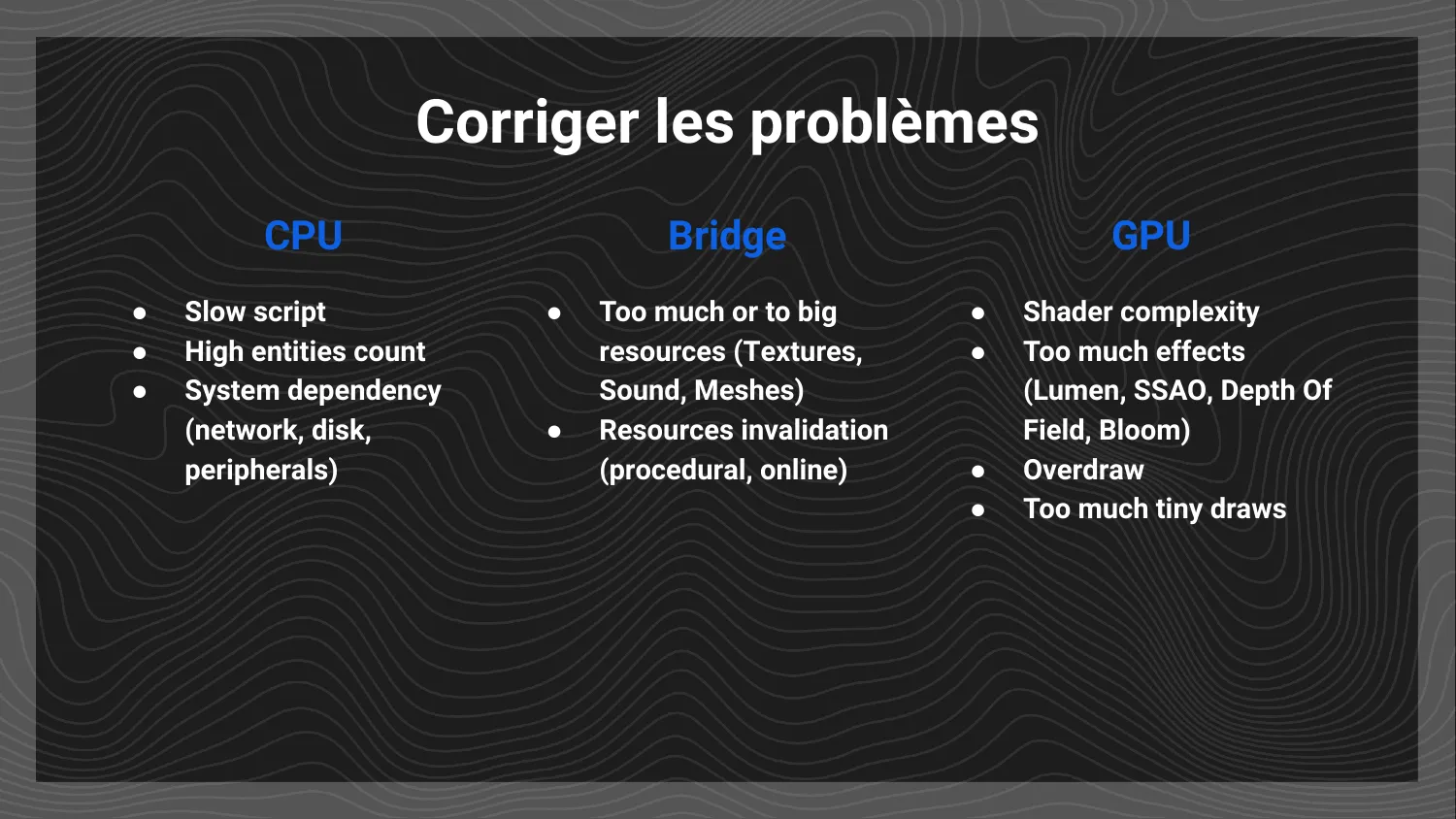
Knowing your bottleneck, what are the usual causes and cures? These are generalities, since every case is different, but they’re useful reflexes.
CPU. Usually slow scripts, or simply too many operations, often from too many objects. Modern processors are extremely capable, so when the CPU is the bottleneck a quick pass over the offending scripts can yield big gains. The tricky part is that the slow script might be yours, or it might be the engine’s, and the latter is harder to find and fix.
Bridge. Think of it as a motorway: it has to carry every resource you need (textures, objects, music) between CPU, GPU, and everything else. And like any motorway, it gets traffic jams, whether from too many “cars” or from cars that are too big and heavy, blocking circulation. The fix is to reduce the number of cars and, where possible, swap them for public transport, putting them in buses or trains. In practice that means texture atlases, LODs, and compression, the classic techniques for reducing the size of what you ship across the Bridge. It’s the same idea as the old tricks for shrinking project and disk size, applied to the data flowing around at runtime. Watch out, too, for resource invalidation, meaning procedural or online content that keeps having to be regenerated or refetched.
GPU. Usually shaders that are too complex, or too many objects carrying a complex shader. You’re asking the GPU to do far too much processing, computing 30 or 60 operations where a pixel needs one. Effects like ray tracing, post-processing, Bloom, Depth of Field, SSAO, and Lumen are expensive, so don’t pile them on. (This kind of problem is rare in general, unless you’re on Unreal Engine 5, where Nanite and Lumen make it rather less rare.) A second GPU problem, more common on mobile, VR, and unified-style hardware like the Steam Deck and Steam Machine, is overdraw: these chips are a bit worse at sorting objects, so if you stack many overlapping objects in the same place, especially with transparency, the GPU struggles to know what to draw where, and slows down badly. Modern GPUs can eat millions of triangles, but overlapping geometry is a different kind of cost.
Anticipate without limiting yourself
To close, some reminders for different roles. They’re generalities, but important ones. The goal is not to start tying your own hands, and that tension is the whole point. Like a story or a film, a game needs intense action beats and moments of pause and release. It turns out the machine needs to breathe too, and the two needs line up beautifully.
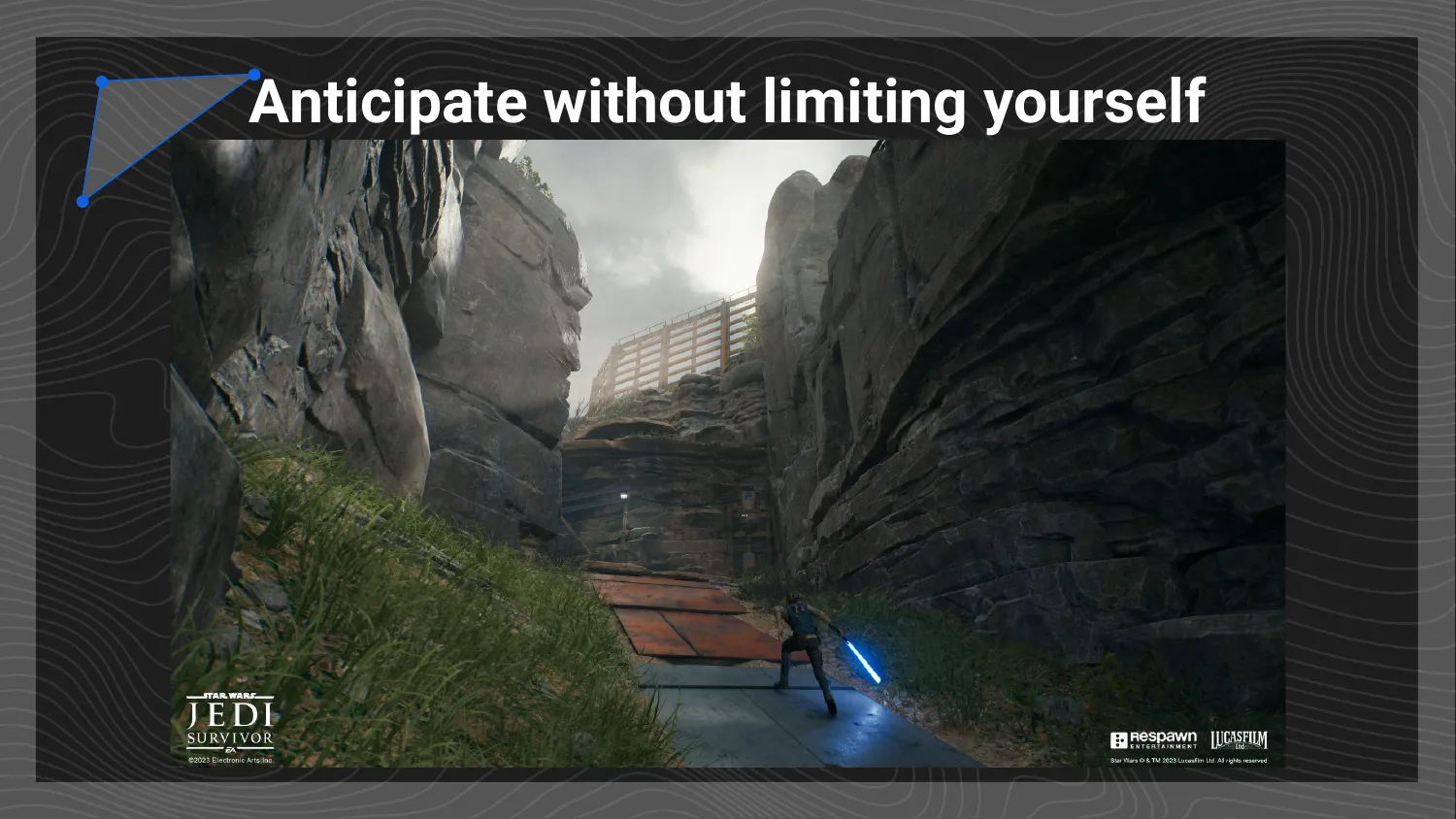
Level designers and level artists: let your levels breathe. Plan for restricted spaces, with no enemies and no heavy visual effects, first so the player can catch their breath, but also so the engine can do some housekeeping and prepare what comes next. A well-designed level can do away with loading screens entirely, but only if you give it buffer spaces. Those calm, neutral stretches are exactly where you hide a load: moving from a meadow to a desert, you use the transition to unload the meadow’s assets and stream in the desert’s, giving the Bridge several seconds to work instead of choking all at once. Jedi: Survivor is full of clever level design like this, and it’s a great example of using layout to hide loading.
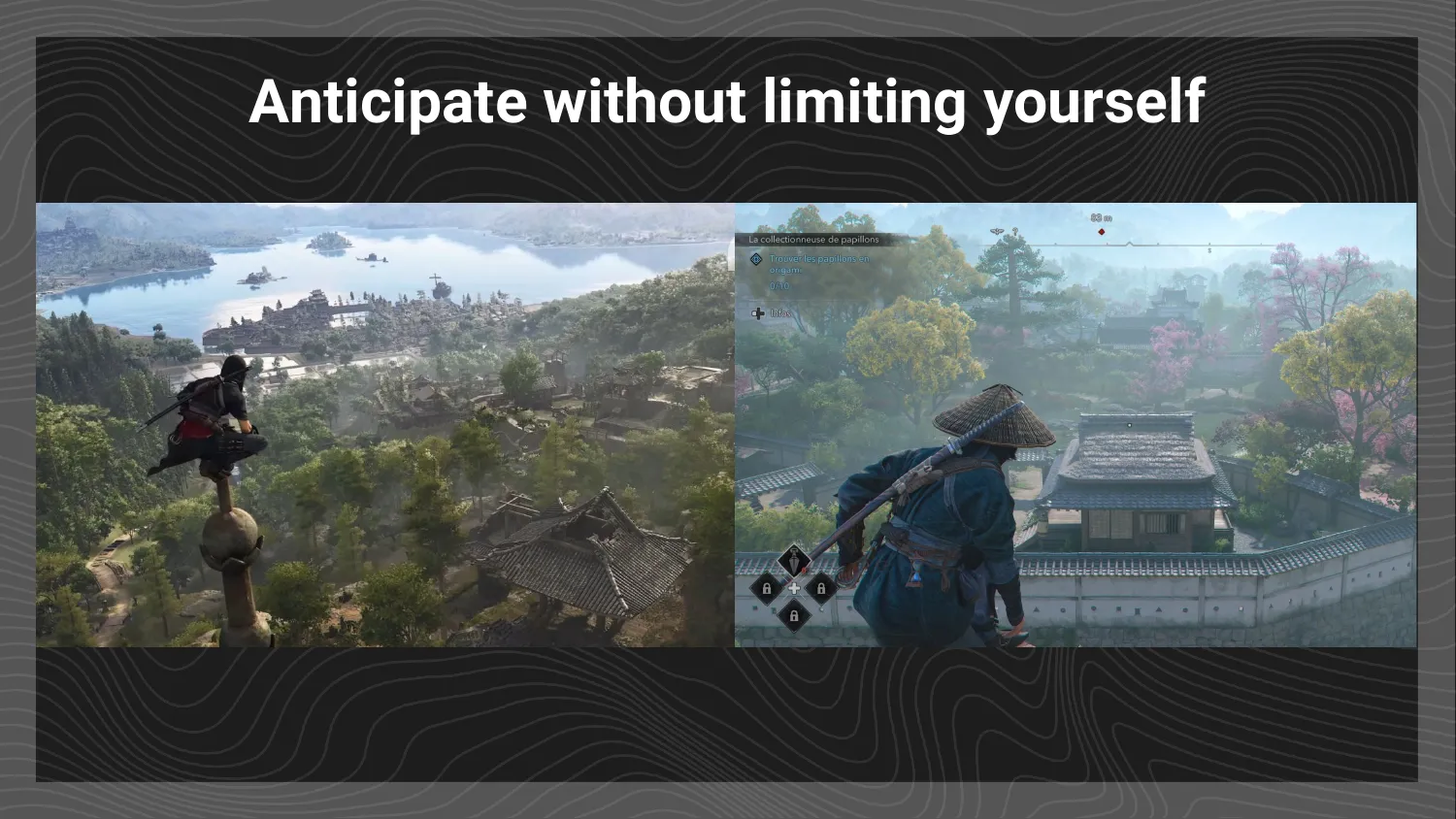
Add intention to the level design. Is a given vantage point contemplative or strategic? It looks similar, since both are an authored view of something, but the two demand very different things from level art and tech art. A contemplative view wants gorgeous vegetation, nice reflections, and beautiful clouds. A strategic view wants the player to read the space and plan, which means visible enemies, clean shadows so you can tell light from dark, readable animations, and working AI. Those are completely different budgets, and they need to be anticipated, ideally mapped out, rather than discovered late.
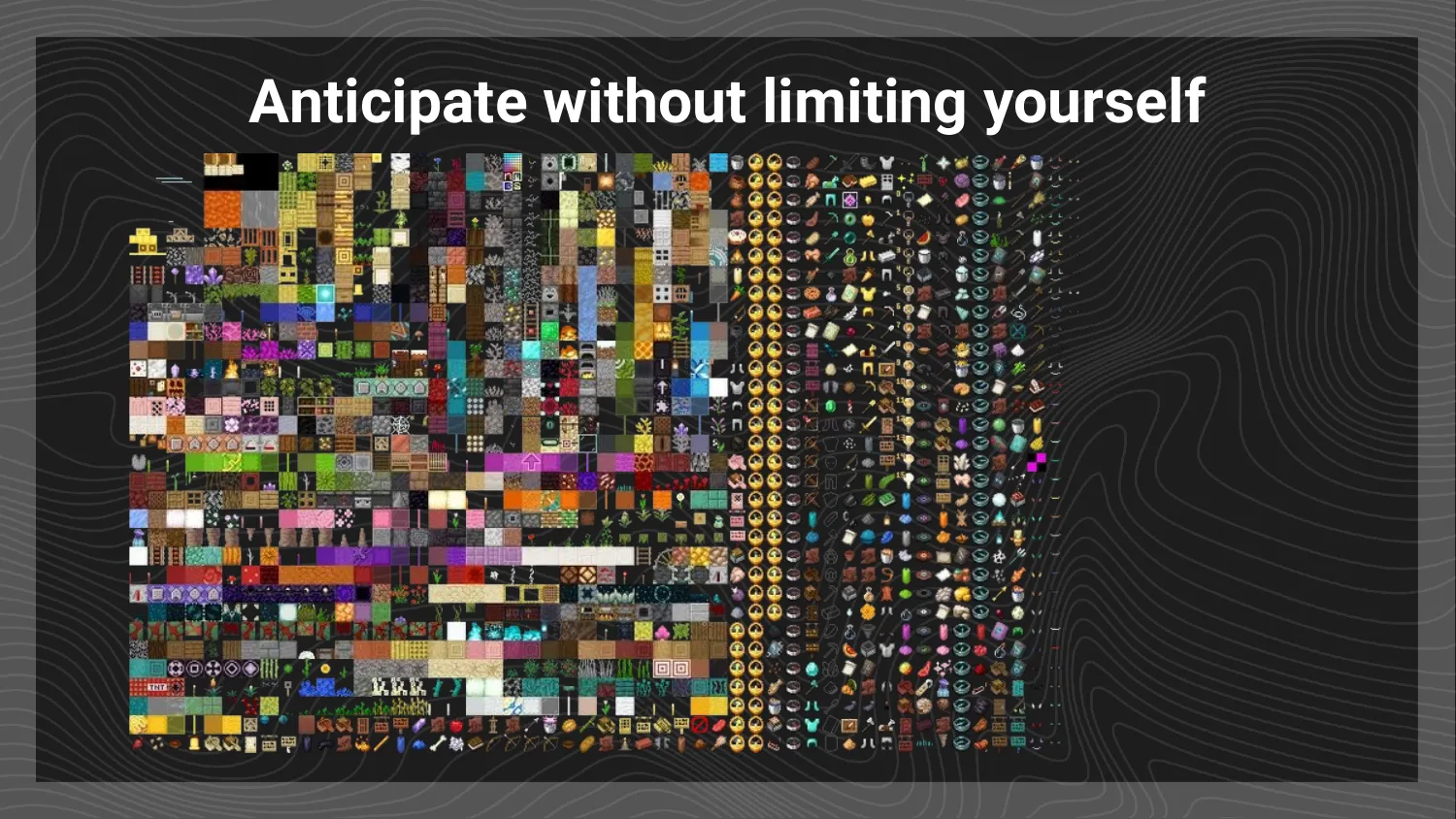
Artists: the watchword is GROUP. The more you can use atlases and trim sheets, the fewer individual elements you push across the Bridge, and the lower your risk of a traffic jam. Minecraft’s old approach is the classic illustration: a single texture holding every object and item, a whole level of optimisation in one sheet. (That specific technique has since been superseded, but the principle stands.) And grouping starts earlier than you’d think, not just with 3D artists, but at the concept-art stage. Group elements that share characteristics, visuals, intentions, or the same effects. It helps production place things with common needs together, and it helps tech artists know, when they build (say) the enemy shader, which enemies need the same effects and visual feedback. If instead you keep bolting on edge cases every week, optimisation gets harder, because you lose the overall view of what’s needed. Anticipate, group, and do it as early as possible.
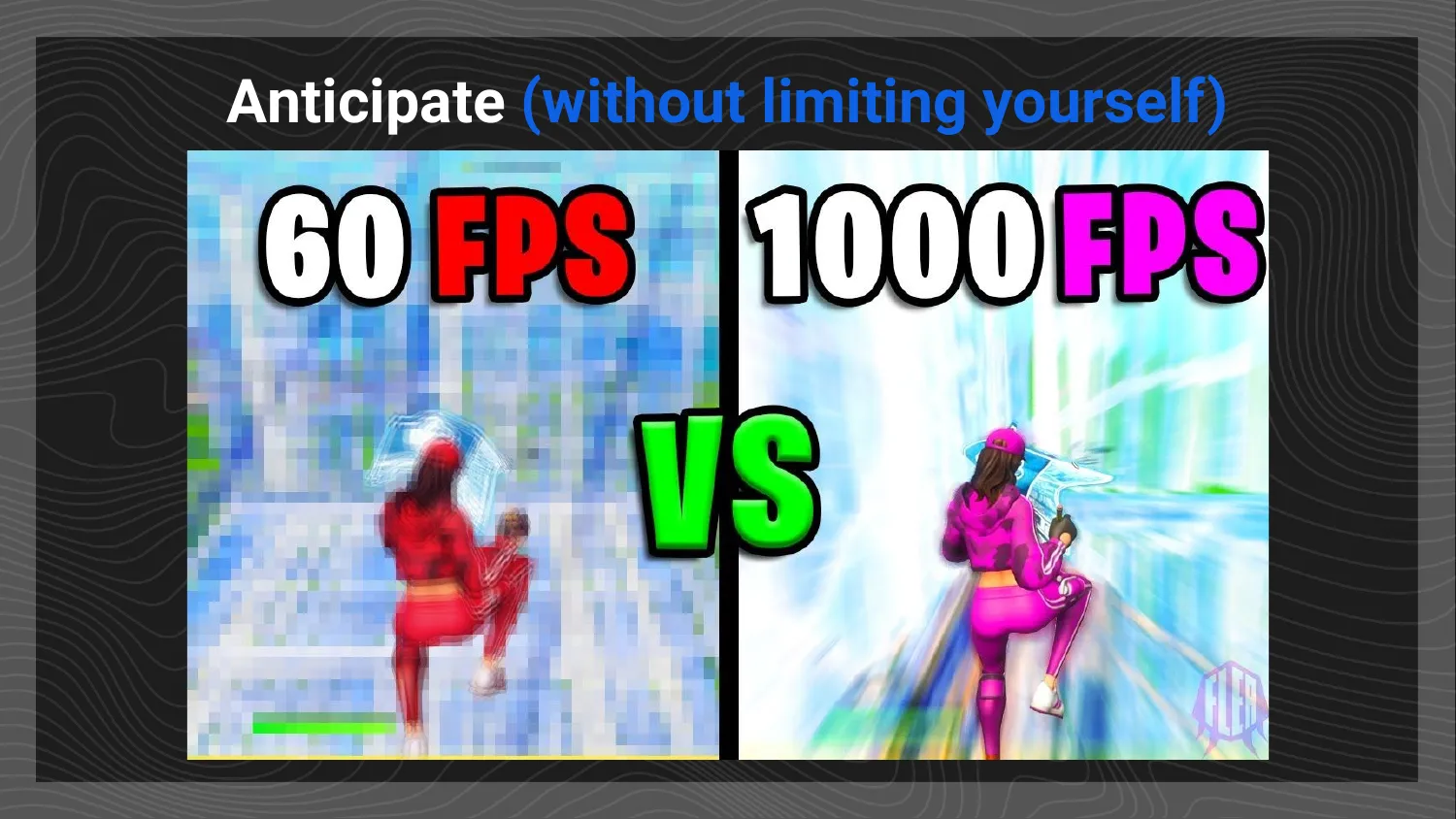
Developers, and here I’ll add a note of sensitivity. Many devs have been traumatised by performance problems on past launches, and can swing toward treating optimisation as a hard limit that constrains creativity. So let me be clear about the thesis of all this: don’t leave optimisation as the last task. It’s a problem you manage throughout, but not one you have to manage actively, all the time. That’s exactly what fuses are for: a glance to confirm no fuse has blown means optimisation isn’t today’s problem, and you move on.
There’s a real tension here, and I’ll own that I’m slightly contradicting my own ecology slides: optimisation is infinite. You can always go faster, always push performance further, so you have to know when to stop. Having your game run at 1000 FPS on your machine is pointless when today’s screens display 120 or 144. Optimisation must not become a source of conflict between teams, and there shouldn’t be one person playing optimisation police, because that’s usually counterproductive. The whole point is for the whole team to take ownership. And all of that, once again, comes back to defining a good target and good fuses from the start, so you avoid premature optimisation that just slows development down.
Recap
The throughline is simple:
- Target. Identify the hardware you’re building for.
- Set fuses. Use loose, arbitrary limits that, when they blow, demand an immediate fix, and that let the whole team share ownership.
- Measure in context. Build small tools that track performance across time and space, so a problem comes with its context attached.
- Categorise the problems. CPU, Bridge, or GPU: learn to recognise each, which is something anyone on the team can do.
- Anticipate without limiting yourself. Build the habits in from the start, and at every asset and every level, leave a little room to breathe.
Optimisation isn’t a dark art and it isn’t one person’s burden. Pick a sensible target, set a few fuses, give everyone tools they can read, and treat performance as a shared concern from day one. Do that, and you turn a few hours of well-placed effort into something that scales: for your players, for your launch, and, multiplied across everyone who plays, for the planet.